


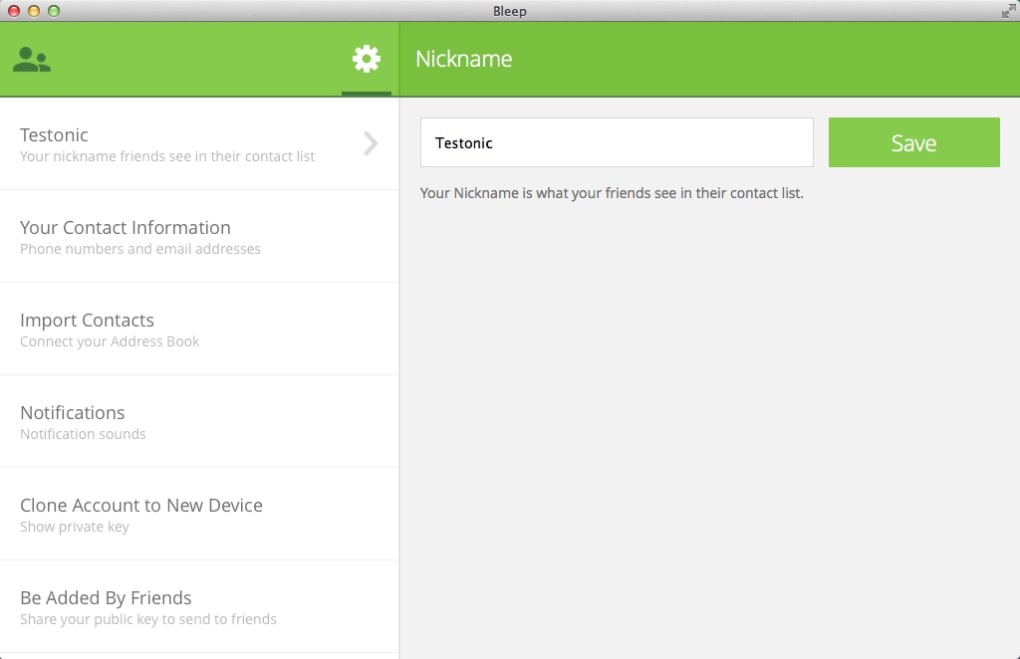
Description
Download BitTorrent Bleep – Free Secure Instant Messenger for Mac, Windows & Android
Overview
BitTorrent Bleep is a lightweight, free instant‑messaging client that aims to blend the simplicity of classic chat tools with modern security standards. Developed by the same team behind the popular BitTorrent ecosystem, Bleep targets users who need a fast, low‑resource messenger that works across multiple platforms. Although its first public release dates back to 2014, the application still holds relevance for users looking for a no‑frills chat solution that doesn’t hog storage or CPU cycles. The current version, 0.1.117, was last updated on October 3 , 2014, but the core functionality remains solid: one‑to‑one and group text chats, file transfers, and end‑to‑end encryption for private conversations. Bleep’s interface is deliberately minimal, displaying contacts, recent messages, and a compact toolbar for quick actions. It is positioned in the “Internet Software” category under the sub‑category “Chat & Communication – Instant Messengers.” The software is available for macOS (including older OS X releases), Windows, and Android, and it’s distributed in English with a focus on security‑first principles. Because it occupies far less disk space than many of its competitors, Bleep is an attractive option for users with limited storage or older hardware. Whether you’re a student, a remote worker, or simply someone who prefers a straightforward chat app without the clutter of social‑media integrations, BitTorrent Bleep offers a free, secure, and cross‑platform solution that’s worth a closer look.
Features & Installation
Key Features
- Cross‑Platform Support: Native clients for macOS, Windows, and Android ensure you stay connected wherever you go.
- Lightweight Design: The installer occupies less than 30 MB, making it ideal for low‑storage devices.
- End‑to‑End Encryption: All messages are encrypted using modern cryptographic algorithms, protecting privacy from eavesdroppers.
- File Transfer Capability: Send files up to 500 MB directly within the chat window without needing external services.
- Group Chats: Create and manage group conversations with up to 50 participants.
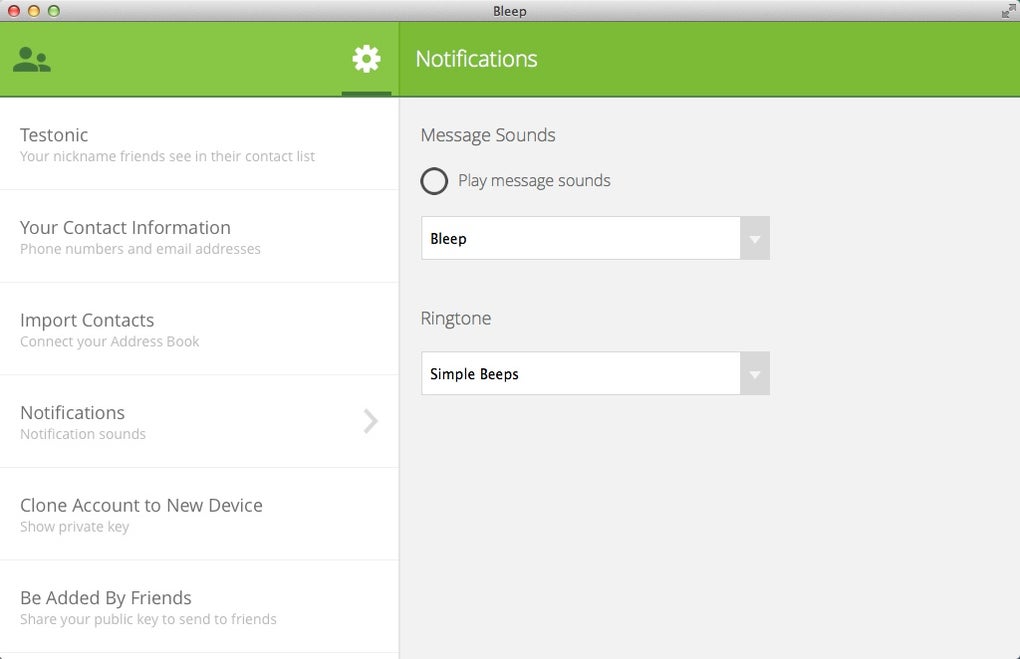
- Customizable Notifications: Choose sound alerts, banner styles, and do‑not‑disturb periods.
- Simple User Interface: Minimalistic layout reduces learning curve and keeps focus on the conversation.
- Offline Message Queue: Messages sent while a contact is offline are stored securely and delivered once they reconnect.
Step‑by‑Step Installation & First‑Time Use
Installing BitTorrent Bleep is a straightforward process designed for both tech‑savvy users and beginners. Follow these steps to get the app up and running on your device:
- Download the Installer: Visit the official BitTorrent website or a trusted software repository and click the “Download for macOS/Windows/Android” button that matches your operating system.
- Verify the Package: For added security, compare the SHA‑256 checksum provided on the download page with the file you received. This ensures the installer hasn’t been tampered with.
- Run the Installer: On macOS, double‑click the
.dmgfile and drag the Bleep icon to your Applications folder. On Windows, execute the.exefile and follow the on‑screen prompts, accepting the license agreement and choosing an installation directory (the default location works for most users). On Android, open the.apkfile and allow installation from unknown sources if prompted. - Launch the Application: After installation, open Bleep. The first launch will prompt you to create a new account or sign in with an existing BitTorrent ID.
- Configure Settings: Navigate to the Settings menu to adjust notification preferences, privacy options, and the default download folder for incoming files.
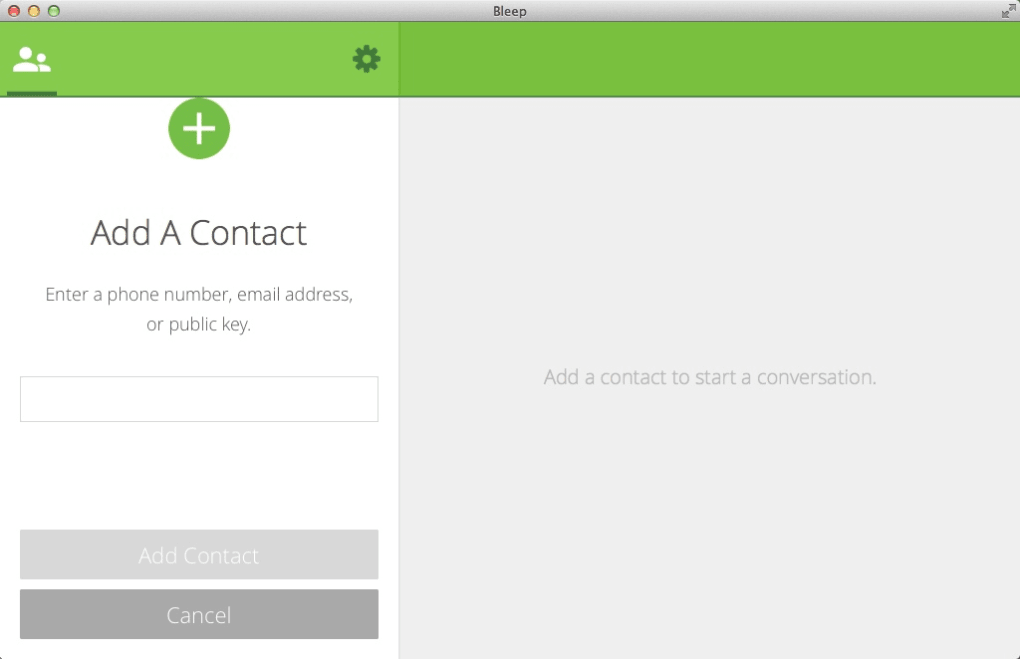
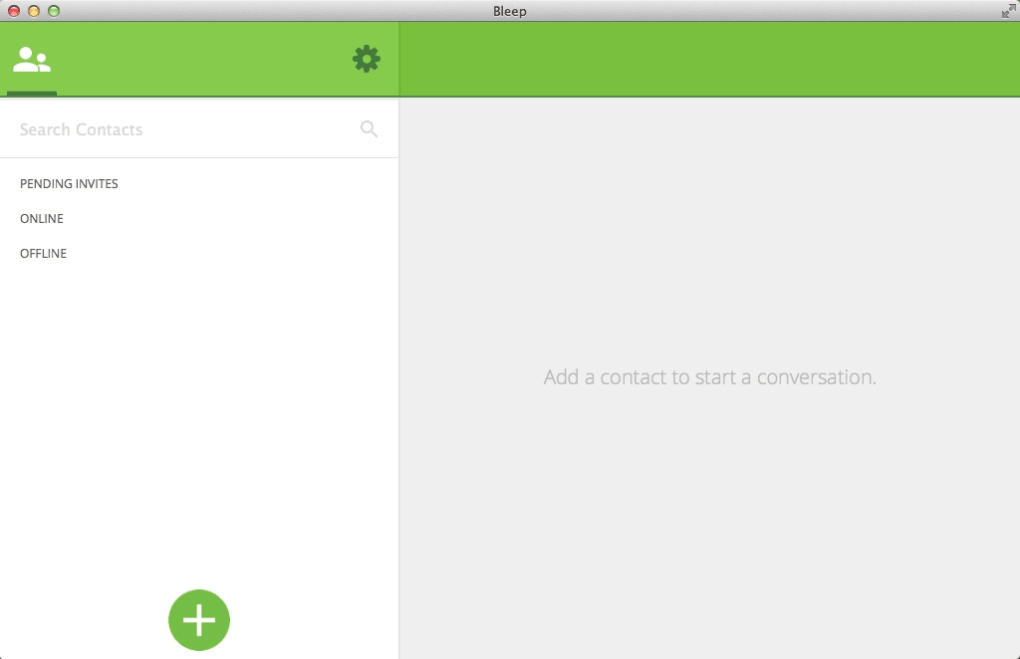
- Add Contacts: Use the “Add Contact” button to search for friends by username or email. Once added, you can start a conversation by clicking their name in the contact list.
- Start Chatting: Type your message in the input field, hit Enter, and enjoy real‑time communication. To share a file, click the paper‑clip icon, select the file, and confirm the transfer.
The entire installation process typically takes under five minutes on a standard broadband connection. Because the app is lightweight, it launches almost instantly, allowing you to dive into conversations without waiting for heavy background processes to initialize.
Compatibility, Pros & Cons
BitTorrent Bleep supports a range of operating systems, making it a versatile choice for mixed‑device households or small teams. Officially, the software runs on:
- macOS 10.9 (Mavericks) and later, including the most recent macOS Ventura releases.
- Windows 7, 8, 10, and 11 (both 32‑bit and 64‑bit builds).
- Android 5.0 (Lollipop) and newer, with plans for a future iOS version that is currently in beta testing.
Pros
- Minimal System Impact: Uses under 30 MB of disk space and negligible RAM, ideal for older computers.
- Strong Encryption: End‑to‑end security protects private chats from interception.
- Cross‑Platform Consistency: Same feature set across macOS, Windows, and Android ensures a seamless experience.
- Free of Charge: No hidden fees, premium tiers, or ad‑supported revenue models.
- Simple UI: The uncluttered design reduces distractions and speeds up message composition.
Cons
- Outdated UI Aesthetics: The visual design feels dated compared to modern messengers like Slack or Teams.
- Limited Feature Set: No voice/video calls, stickers, or integration with third‑party services.
- Inactive Development: Last update was in 2014, which may raise concerns about long‑term support and compatibility with future OS releases.
- No Official iOS App: While an Android version exists, iOS users must wait for a future release.
- Basic File Size Limit: The 500 MB cap may be restrictive for users needing to transfer larger media files.
FAQ & Conclusion
Is BitTorrent Bleep completely free to use?
Yes, Bleep is offered at no cost. There are no subscription fees, in‑app purchases, or ads. The developers provide the software as a free utility for personal and professional communication.
Can I transfer files larger than 500 MB?
The built‑in file transfer feature is limited to 500 MB per file. For larger files, you can use a cloud‑storage link (e.g., Dropbox or Google Drive) and share the URL through Bleep.
Is the chat data stored on BitTorrent’s servers?
All messages are end‑to‑end encrypted and stored locally on the devices of the participants. BitTorrent does not retain a copy of your conversations on its servers, which enhances privacy.
Will Bleep work on the latest macOS Ventura?
Yes, the macOS build is compatible with Ventura and earlier versions back to OS X Mavericks. However, because the last update was in 2014, you should verify compatibility on a test machine if you encounter any issues.
How do I report a bug or request a new feature?
You can submit bug reports or feature requests through the official BitTorrent Bleep GitHub repository or via the “Help & Feedback” section inside the app. The community‑driven approach helps prioritize improvements despite the limited development schedule.
Conclusion & Call to Action
BitTorrent Bleep occupies a niche in the crowded instant‑messenger market by offering a free, secure, and ultra‑light solution that works across the three major platforms most users own. While the interface may feel a bit retro and the development pace has slowed, the core strengths—minimal system impact, strong encryption, and straightforward file sharing—remain compelling for anyone who values privacy without the bells and whistles of larger services. If you’re looking for a no‑frills chat client that won’t drain your hard drive or bandwidth, give Bleep a try today. Download the installer for macOS, Windows, or Android, set up your account in minutes, and start enjoying secure conversations instantly. Remember, the software is completely free, so there’s no risk in testing it on a secondary device before adopting it for daily use. Take advantage of its lightweight footprint and privacy‑first design—download BitTorrent Bleep now and experience a clean, secure messaging experience that simply works.
Guides & Tutorials for BitTorrent Bleep
How to install BitTorrent Bleep
- Click the Preview / Download button above.
- Once redirected, accept the terms and click Install.
- Wait for the BitTorrent Bleep download to finish on your device.
How to use BitTorrent Bleep
This software is primarily used for its core features described above. Open the app after installation to explore its capabilities.
User Reviews for BitTorrent Bleep 0
No reviews found





.webp)